
How SameSecond works
Everyone plays the video on their own device, at full quality, and SameSecond keeps all the players on the same second. When anyone presses play, pauses or skips, everyone follows.
Which way to watch
- YouTube or a link to a video file (
.mp4,.m3u8): use the website. Works on phones and laptops, nothing to install. - Netflix, Crunchyroll and other streaming sites: use the browser extension on a laptop or PC. Everyone uses their own account.
Watch YouTube or a video link
-
Start a room
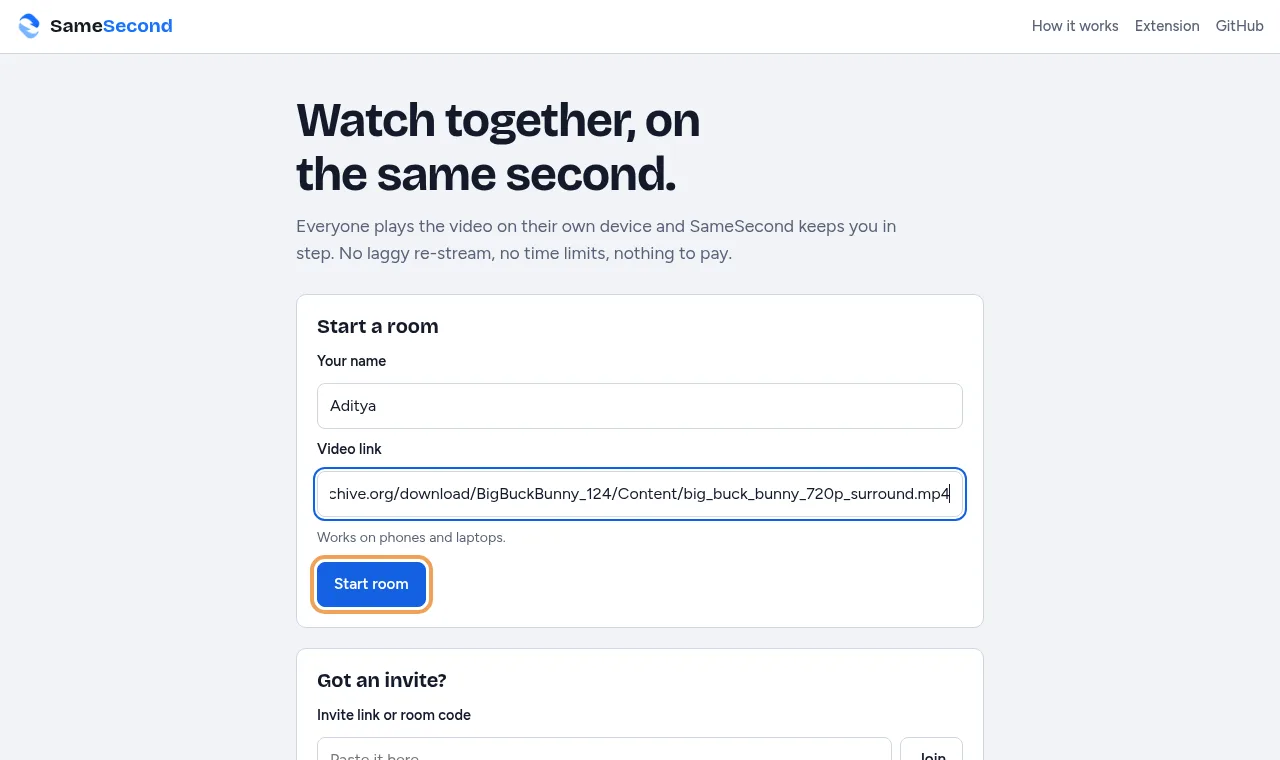
On the home page, type your name, paste the video link and press Start room.
-
Invite your friends
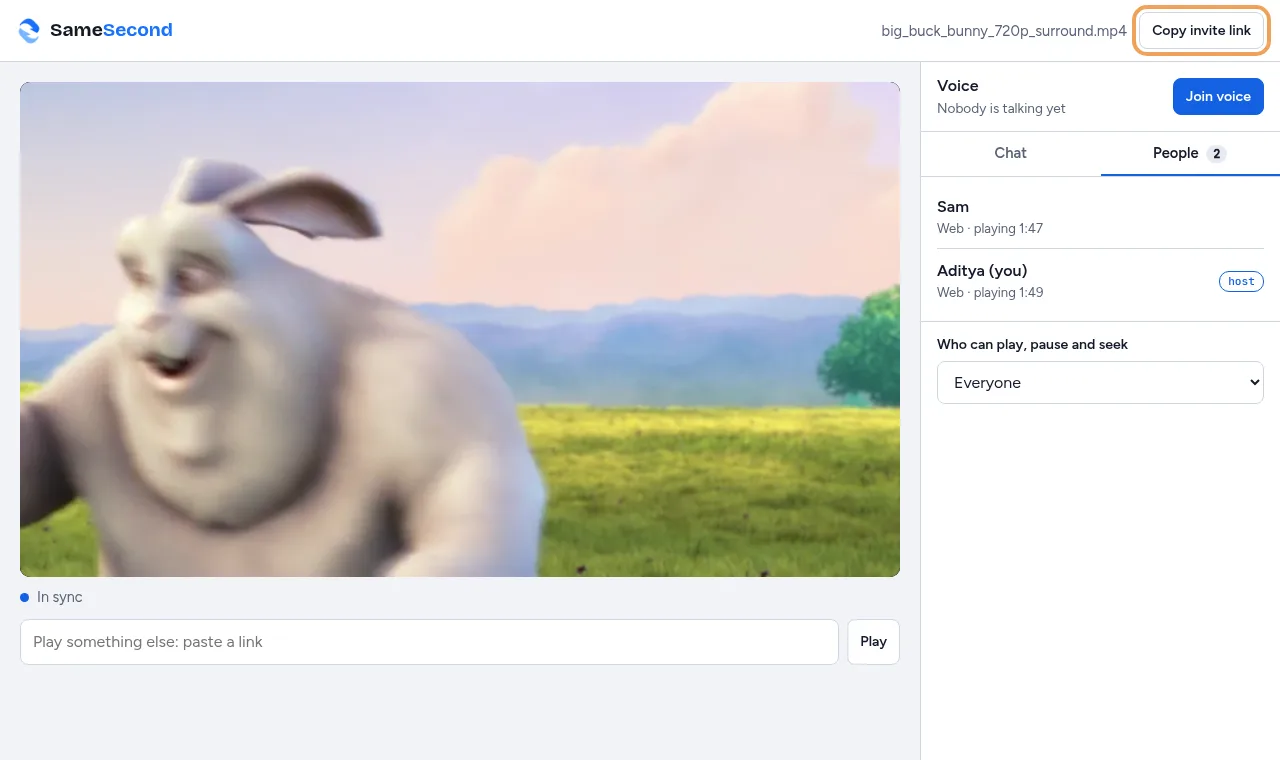
Press Copy invite link (on a phone it opens your share menu) and send the link in your group chat. The People tab shows who's there and where each person is in the video.
-
Friends join from any device
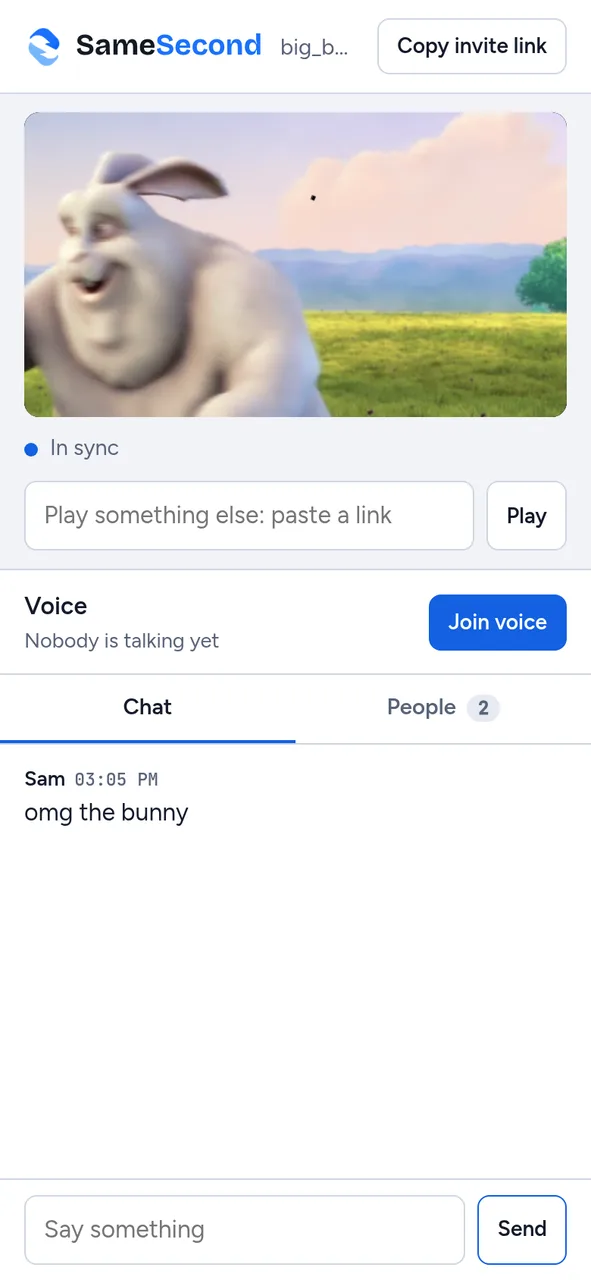
The invite opens straight into the room, already at the right moment. If a phone asks, tap once to start the video. Chat and voice are in the room too.
Watch Netflix, Crunchyroll and other sites
-
Install the extension
Everyone who's watching needs it on a laptop or PC. Install steps with pictures.
-
Open the episode and start a room
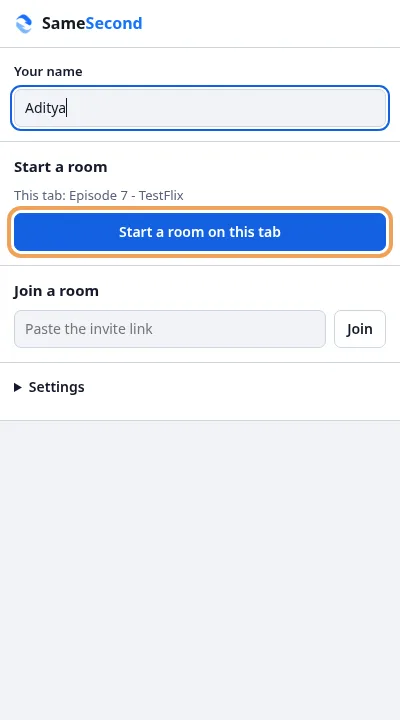
Go to the episode, click the SameSecond button, type your name and press Start a room on this tab. The room starts where you already are in the episode.
-
Share the invite link
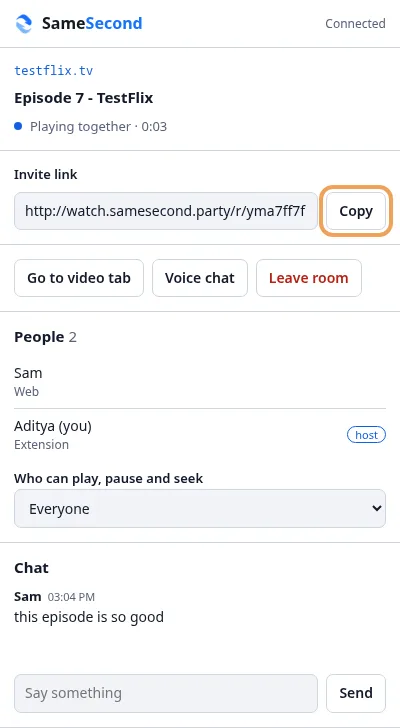
Press Copy next to the invite link and send it. The panel shows who's in the room, lets you choose who can control playback, and has the chat.
-
Friends open the link
With the extension installed, the invite page has an Open in the extension button that opens the episode in sync. Friends on a phone see that the video needs a laptop, and can still chat and talk.
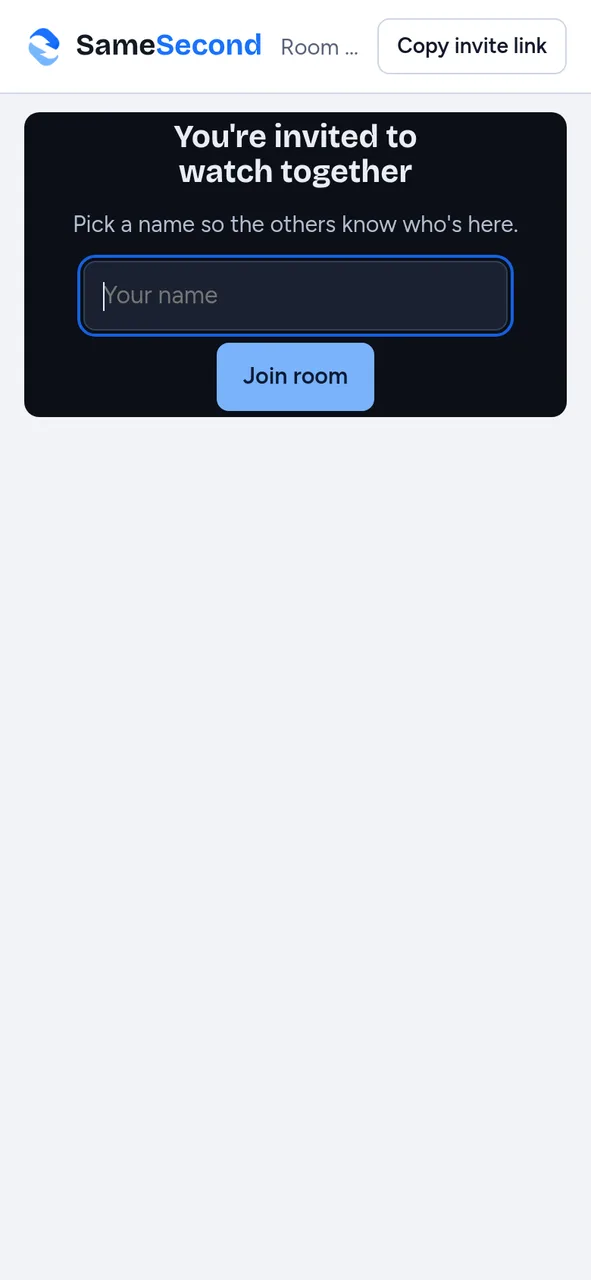
Opening an invite 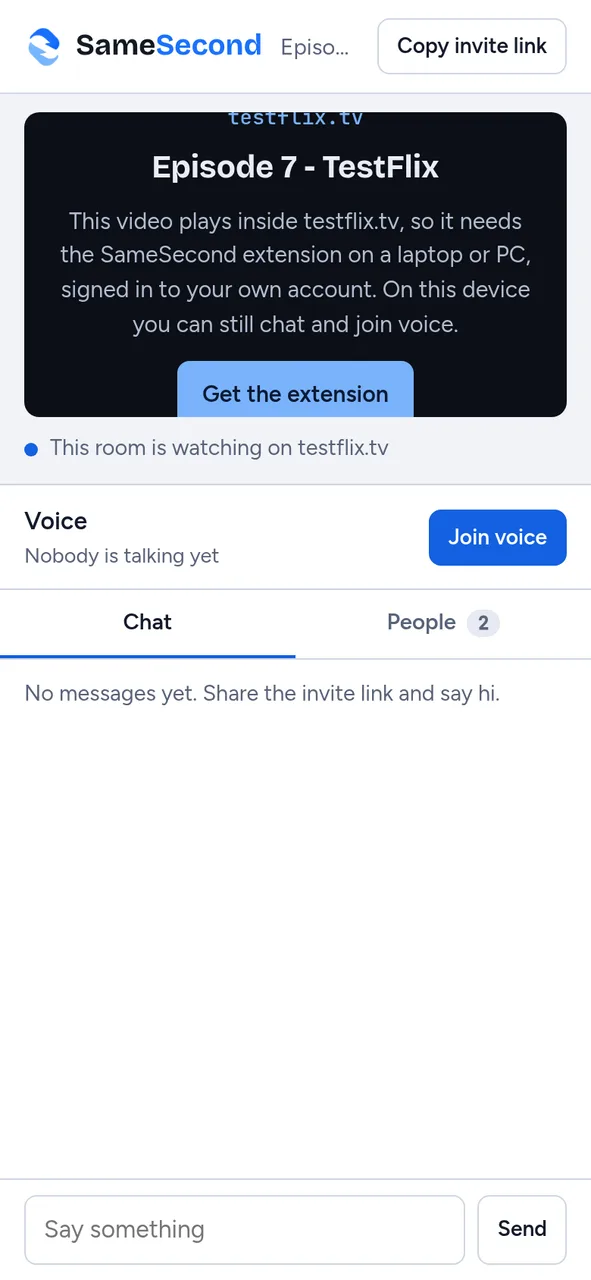
On a phone, in a Netflix-type room -
Watch together
Use the site's own player as usual. When someone else plays, pauses, skips or sends a message, a short notice appears on the video, even in fullscreen. When someone opens the next episode, everyone's tab follows.

Good to know
- If someone's video is still loading, the room waits for them for up to 15 seconds.
- The host can set playback to Only me in the People list, so nobody else can pause or skip.
- Netflix and some other services don't play in phone browsers at all. Phone users can still chat and join voice.
- Nothing to pay and no account. Rooms are deleted a day after everyone leaves. Privacy.