
Get the SameSecond extension
The extension keeps the video in sync on any site, including Netflix, Crunchyroll and other sites with protected video. Everyone in the room needs it on a laptop or PC, signed in to their own account on the site.
Download
Downloads come from the project's GitHub releases. The extension is set up to use this site for rooms.
Chrome, Edge, Brave or Opera
-
Download and unzip
Download the
.zipabove and unzip it somewhere you'll keep it, such as your Documents folder. The browser loads the extension from that folder, so don't delete it afterwards. -
Turn on Developer mode
Type
chrome://extensionsin the address bar (edge://extensionsin Edge,opera://extensionsin Opera) and switch on Developer mode at the top right.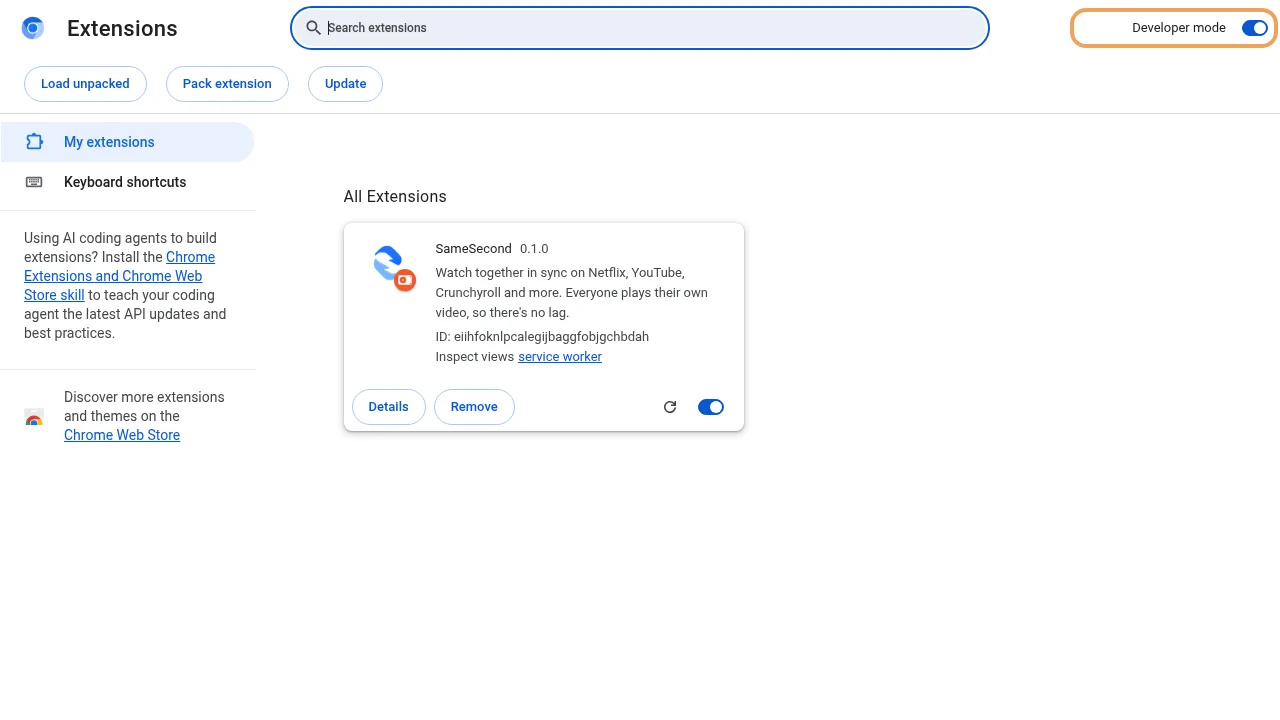
Developer mode is the switch at the top right. -
Load the folder
Click Load unpacked and choose the folder you unzipped (the one that contains
manifest.json).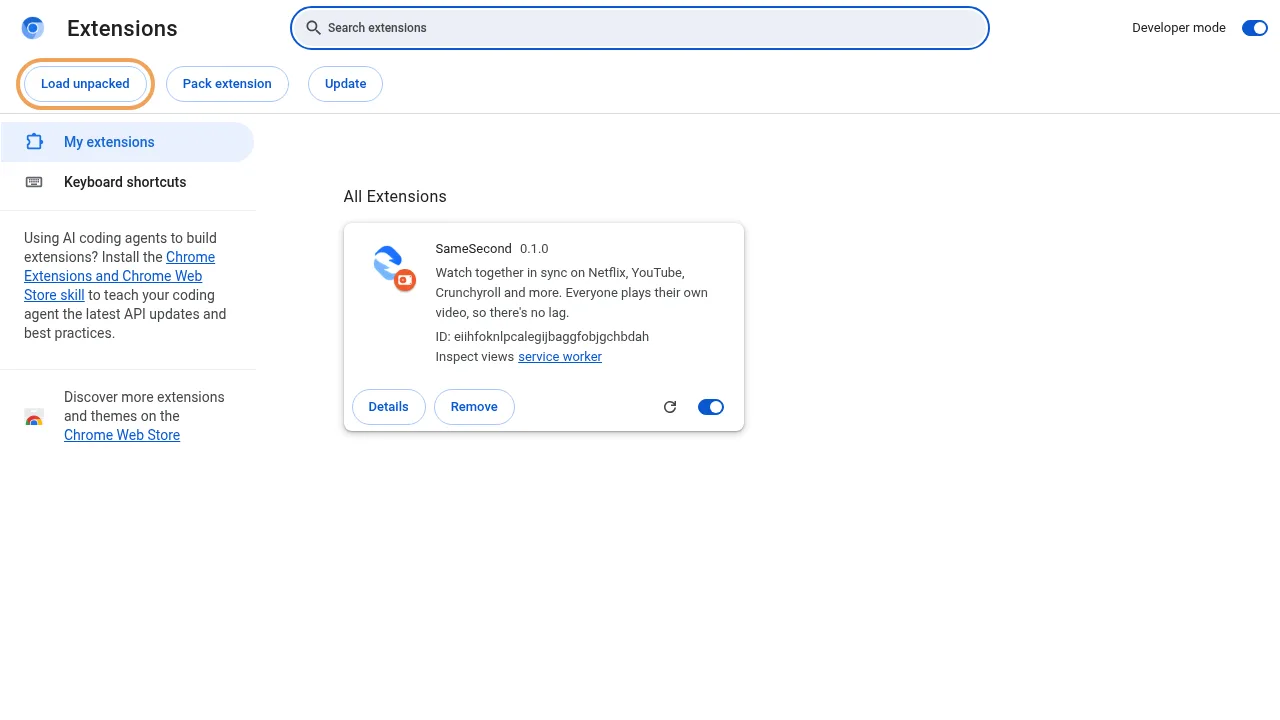
-
Check it's there
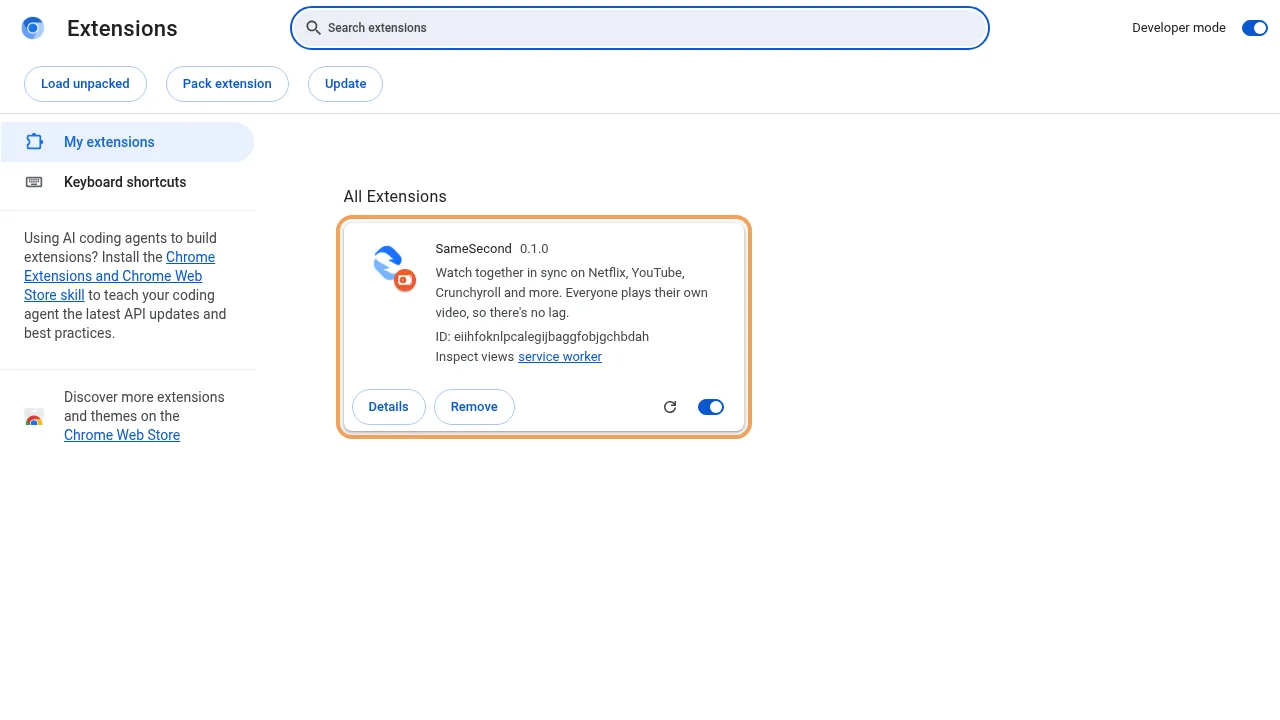
SameSecond appears in your list of extensions with its switch turned on.
-
Pin the button
Click the puzzle-piece icon next to the address bar and pin SameSecond, so its button is always one click away. Clicking it opens SameSecond's panel at the side of the window.
Chrome may occasionally remind you that a developer-mode extension is installed. That's expected for extensions installed this way; keep it on.
Firefox on a computer or Android
Install SameSecond from Firefox Add-ons with one click (it appears there once Mozilla finishes its review). On Android, open that link in Firefox, or open Firefox's menu, then Add-ons, and search for SameSecond. On Firefox, the panel opens in the sidebar.
Some sites, including Netflix, don't play in phone browsers at all. On those, use your phone for chat and voice from the invite link instead.
Next: start a room
Open the episode, click the SameSecond button and press Start a room on this tab. The guide shows the rest, with pictures.
iPhone and other phone browsers
These can't run browser extensions. Open the invite link to watch YouTube and video-link rooms, or to chat and talk while you watch on another screen.